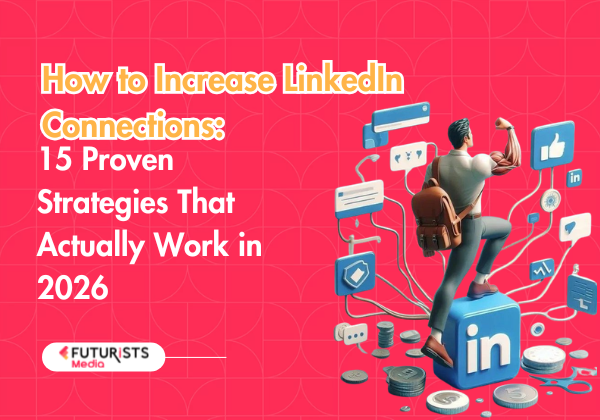
LinkedIn has over 1 billion members worldwide — but having a profile isn’t enough. Your connection count is social proof, an algorithm signal, and a direct pipeline to opportunities all at once. Whether you’re a founder, job seeker, freelancer, or brand building its presence, knowing how to increase LinkedIn connections strategically is one of the highest-ROI skills you can develop in 2026.
At Futurists Media, we’ve helped brands and creators across Northeast India and beyond build powerful LinkedIn presences that drive real business outcomes. In this guide, we’re sharing the exact playbook we use — and that you can implement starting today.
1. Optimize Your LinkedIn Profile Before You Connect With Anyone
Before sending a single connection request, make sure your profile gives people a reason to accept. Think of it as your digital first impression — a poorly filled profile kills your acceptance rate.
Profile optimization checklist:
- Professional headshot (profiles with photos get 21x more profile views)
- Keyword-rich headline — don’t just put your job title, describe the value you deliver
- Compelling ‘About’ section written in first person with relevant keywords
- Complete work experience with results, not just responsibilities
- Skills section filled with at least 10 relevant skills
- Featured section showcasing your best content or portfolio
- Custom LinkedIn URL (e.g., linkedin.com/in/yourname)
2. Personalize Every Single Connection Request
The single biggest mistake people make is sending generic “I’d like to add you to my professional network” requests. Personalization is the difference between a 20% acceptance rate and a 60%+ acceptance rate.
What to include in your note:
- Where you found them (a post, mutual connection, event)
- Why you want to connect (be specific — mention their content or expertise)
- What value you might offer in return
- Keep it under 300 characters
Example:
“Hi [Name], I came across your post on influencer marketing ROI — really resonated with our work at Futurists Media. Would love to connect and exchange ideas on creator-driven campaigns!”
4. Engage Before You Connect
One of the most underused growth tactics: spend 15–20 minutes each day commenting meaningfully on posts from people you want to connect with. When you send a connection request afterward, they already recognize your name. Acceptance rates skyrocket.
The “Engage First” method:
- Identify 20–30 target profiles in your niche
- Follow them (don’t connect yet)
- Comment thoughtfully on 3–5 of their posts over a week
- Then send a personalized connection request referencing your conversation
- This method yields 70–80% acceptance rates
5. Import Your Email Contacts
LinkedIn allows you to sync your email contacts to find people already on the platform. This is the fastest way to add warm connections — people who already know you and will almost certainly accept.
How to do it:
- Go to “My Network” → “More options” → “Import contacts”
- Upload your Google or Outlook contacts
- LinkedIn shows you which contacts are on the platform
- Reach out to the ones you genuinely want to connect with
6. Leverage LinkedIn Groups
LinkedIn Groups are underrated goldmines. Members of the same group can message each other for free — even without being connected. More importantly, active group participation builds visibility among highly targeted communities.
Group strategy:
- Join 5–10 active groups in your niche or industry
- Introduce yourself with value (not a pitch)
- Answer questions and share insights weekly
- Connect with active members who engage with your content
- Consider creating your own group to become the hub
7. Attend and Network at LinkedIn Events
LinkedIn Events (both virtual and in-person) are excellent networking opportunities. Attendees can connect with each other, and event hosts can message all attendees — making it a mutual-interest gathering.
- Search for events in your industry via the “Events” section
- Attend and engage in the event chat/comments during live sessions
- Connect with speakers and engaged attendees afterward
- Host your own LinkedIn Live event to attract followers and connections
8. Use the “People Also Viewed” and “People You May Know” Sections
LinkedIn surfaces highly relevant people for you based on your activity and network. The “People You May Know” feed and “People Also Viewed” sidebars are algorithm-curated lists of warm potential connections — don’t ignore them.
9. Follow (Don’t Just Connect) Industry Influencers
Following top creators puts their content in your feed. Engaging regularly with that content (thoughtful comments, not just likes) makes you visible to their large audiences — many of whom will visit your profile and connect with you.
This is called “comment networking” and it’s one of the most powerful passive growth strategies on the platform. One insightful comment on a viral post can bring you 50+ profile visits in a day.
10. Add Your LinkedIn to Your Email Signature, Website & Bio
Cross-promoting your LinkedIn everywhere you exist online creates a passive connection funnel. Every touchpoint with your audience is an opportunity to grow your network.
- Email signature with LinkedIn button
- Website footer and about page
- Instagram, Twitter/X, and YouTube bios
- Business cards and presentations
- WhatsApp Business profile
- Author bios on guest articles
11. Congratulate Connections on Milestones
LinkedIn notifies you about your connections’ work anniversaries, new jobs, and birthdays. These are low-effort, high-impact touchpoints. A genuine congratulatory message (not the default one) reactivates relationships and often sparks conversations that lead to referrals or opportunities.
12. Try LinkedIn’s Creator Mode
Creator Mode switches the primary CTA on your profile from “Connect” to “Follow” — which is great for building an audience. But more importantly, it unlocks additional features: LinkedIn Live, newsletters, and more prominent display of your top hashtags (showing your content focus to potential followers).
- Turn on Creator Mode in your profile settings
- Choose 5 hashtags that represent your content pillars
- Use LinkedIn Newsletter to build a dedicated subscriber base
- Host LinkedIn Live sessions to attract new followers
13. Collaborate With Others on Content
Co-creating content is one of the fastest ways to tap into someone else’s audience. When you tag a collaborator in a post or they tag you, both your networks see the content — doubling (or tripling) your reach instantly.
- Co-author articles or carousels with peers
- Feature industry experts in interview-style posts
- Participate in collaborative posts where multiple people contribute insights
- Create roundup posts: “5 experts share their take on [topic]”
- Tag relevant people when their work inspires your content (authentically)
14. Be Strategic With Hashtags
Unlike Instagram, LinkedIn hashtags work differently — they don’t dramatically expand your reach, but they do help your posts show up in hashtag feeds and help LinkedIn categorize your content. The sweet spot is 3–5 relevant hashtags per post.
Hashtag strategy:
- 1 broad hashtag (100k+ followers): e.g., #Marketing
- 1–2 mid-tier hashtags (10k–100k followers): e.g., #InfluencerMarketing
- 1–2 niche hashtags (1k–10k followers): e.g., #NortheastIndiaStartups
- Avoid stuffing 20+ hashtags — it looks spammy and doesn’t help
15. Stay Consistent and Track Your Growth
The biggest differentiator between people who grow on LinkedIn and those who don’t is consistency. LinkedIn growth is a long game — most people give up in the first 30 days before the algorithm starts rewarding their work.
Track these metrics weekly:
- Profile views (growth indicates stronger SEO and content reach)
- Search appearances (are you being found for the right keywords?)
- Connection request acceptance rate (optimize your message)
- Post impressions and engagement rate
- Follower growth rate vs connection growth rate
Use LinkedIn’s built-in analytics (available in the “Me” menu) to track your progress. Commit to 90 days of consistent effort before evaluating results.
Common Mistakes That Kill Your LinkedIn Growth
Avoid these pitfalls:
- Sending mass generic connection requests (triggers spam flags)
- Connecting and immediately pitching in DMs (“connect-to-pitch” is the fastest way to get ignored)
- Ignoring connection requests from relevant people
- Posting only company updates with zero personality
- Going over LinkedIn’s weekly invitation limit (around 100/week) — this can get your account restricted
- Buying connections or followers — LinkedIn detects and penalizes fake activity
- Neglecting your profile while trying to grow your network
Final Thoughts: Quality Network > Large Network
Growing your LinkedIn connections isn’t about chasing a number — it’s about building a network that creates real opportunities. Every strategy in this guide is designed to attract the right connections: people who are genuinely interested in what you do and what you offer.
At Futurists Media, we work with brands and creators to build powerful digital presences — on LinkedIn, Instagram, and beyond. Whether you’re a brand looking to leverage influencer marketing in Northeast India or a creator wanting to monetize your audience, we can help.
Frequently Asked Questions
How many LinkedIn connections can I send per week?
LinkedIn allows approximately 100 connection requests per week for most accounts. Premium accounts may have slightly higher limits. Focus on quality over quantity — sending 30 personalized requests is far more effective than 100 generic ones.
What is the LinkedIn connection limit?
LinkedIn caps connections at 30,000 first-degree connections. After that, people can only follow you (not connect). This is another reason why building followers alongside connections is smart — followers are unlimited.
Does having more connections help with LinkedIn SEO?
Yes. More connections = higher LinkedIn SSI (Social Selling Index) = better algorithm treatment for your posts = more profile visibility in search results. It’s a reinforcing loop that rewards active networkers.
How long does it take to grow to 500+ LinkedIn connections?
With consistent effort using the strategies in this guide, most people reach 500 connections within 3–6 months. The “500+” badge is significant because it’s the last visible connection milestone LinkedIn displays — it signals credibility to profile visitors.